A better stay,
from the first hello.
Handle room bookings, nightly rates, check-in and guest folios. See who’s in, what’s free and what’s still owed.
Explore hotel managementMeet Restra. Your hotel, restaurant and everyday operations, together on one Android device. Beautifully simple. Ready to work offline.
21 interface languages · Works offline · No account needed for daily work · Android
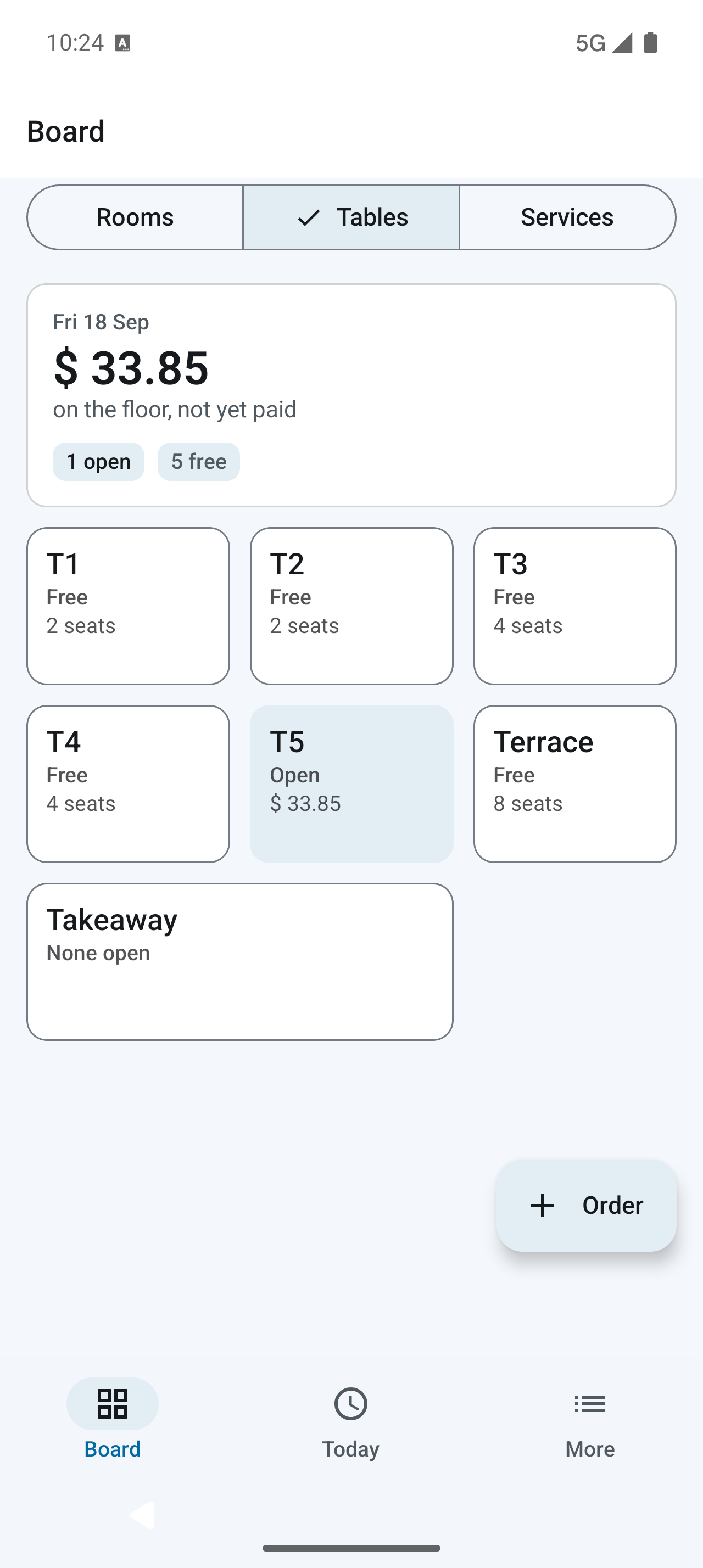
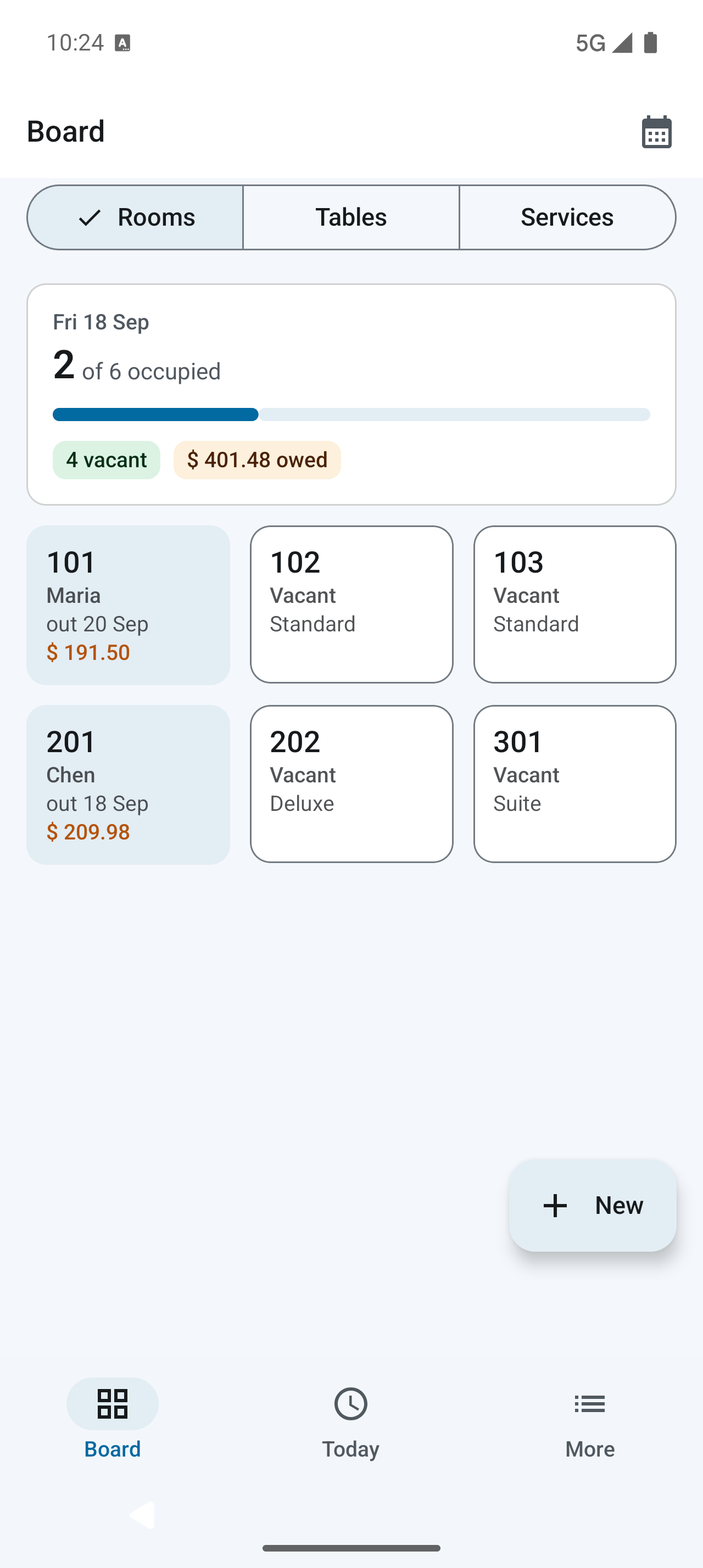
Keep the details together, so you can give your guests your attention.
Handle room bookings, nightly rates, check-in and guest folios. See who’s in, what’s free and what’s still owed.
Explore hotel managementTake dine-in and takeaway orders, share kitchen tickets, prepare bills and record split payments.
Explore restaurant billingSell spa treatments, activities and transport with a service catalogue, clear prices and service sales reports.
Explore service salesCharge an eligible restaurant order to a checked-in guest’s room. Settle the stay together, without entering the same sale twice.
See how room charges workReview sales, expenses, cash movements and outstanding dues. Share professional PDFs from your records.
Explore reportsFrom a quiet hillside guesthouse to a busy neighborhood café, everyday work stays on your device. Book the room. Take the order. Make the receipt.
Get to know offline RestraBookings, orders, payment records and PDF generation work offline.
Start everyday operations without an online account. Use optional online features when configured.
Export a passphrase-protected copy and keep it outside your phone. Restore it when you need to move.
Real screens from Restra. Familiar tasks, with a clear place to start.
Start with a clear room board. See current occupancy, spot vacant rooms, and open a guest’s folio right where you work.
A guest asks about an earlier booking. You need to check a payment or review a busy weekend. Restra’s History brings recorded activity into one calendar, so you know where to look.
Find it in the app: More → History
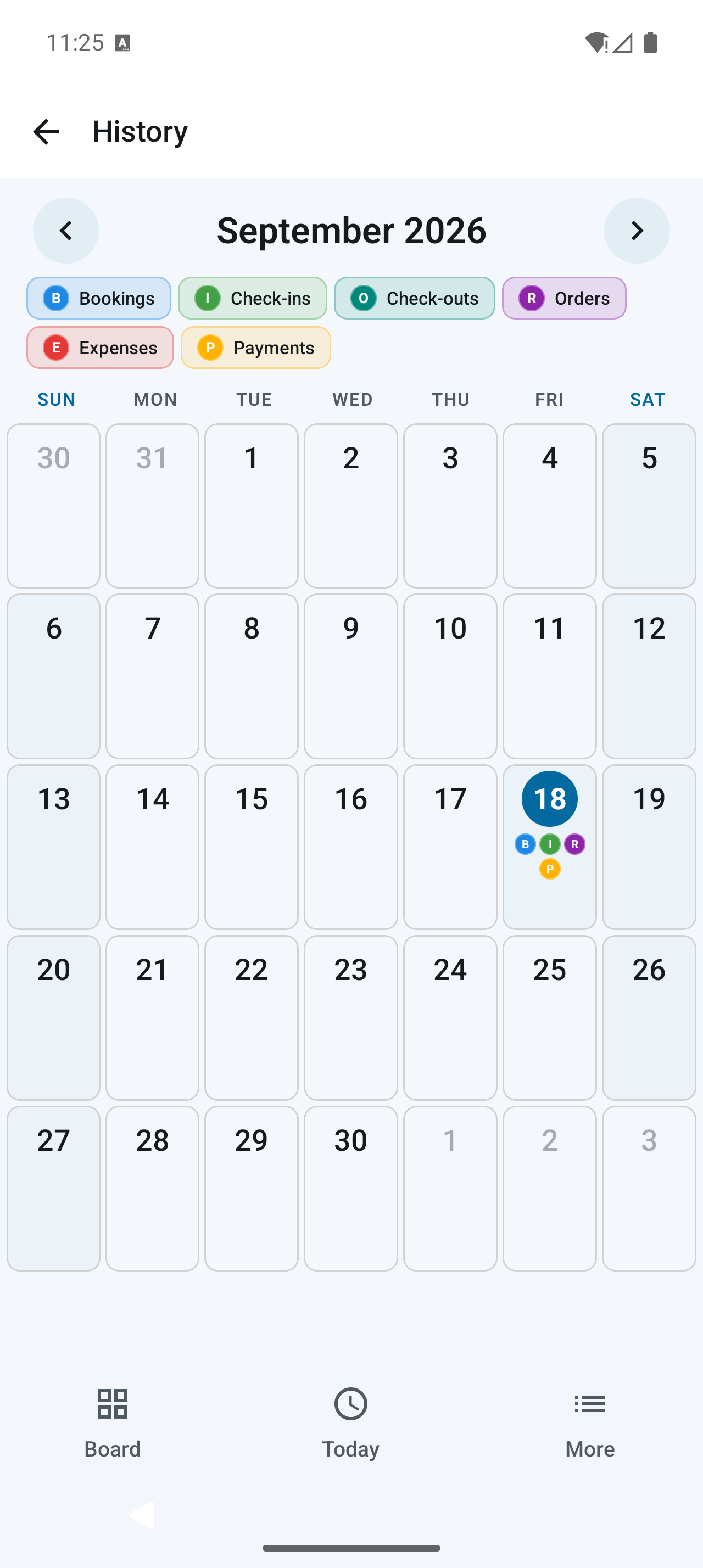
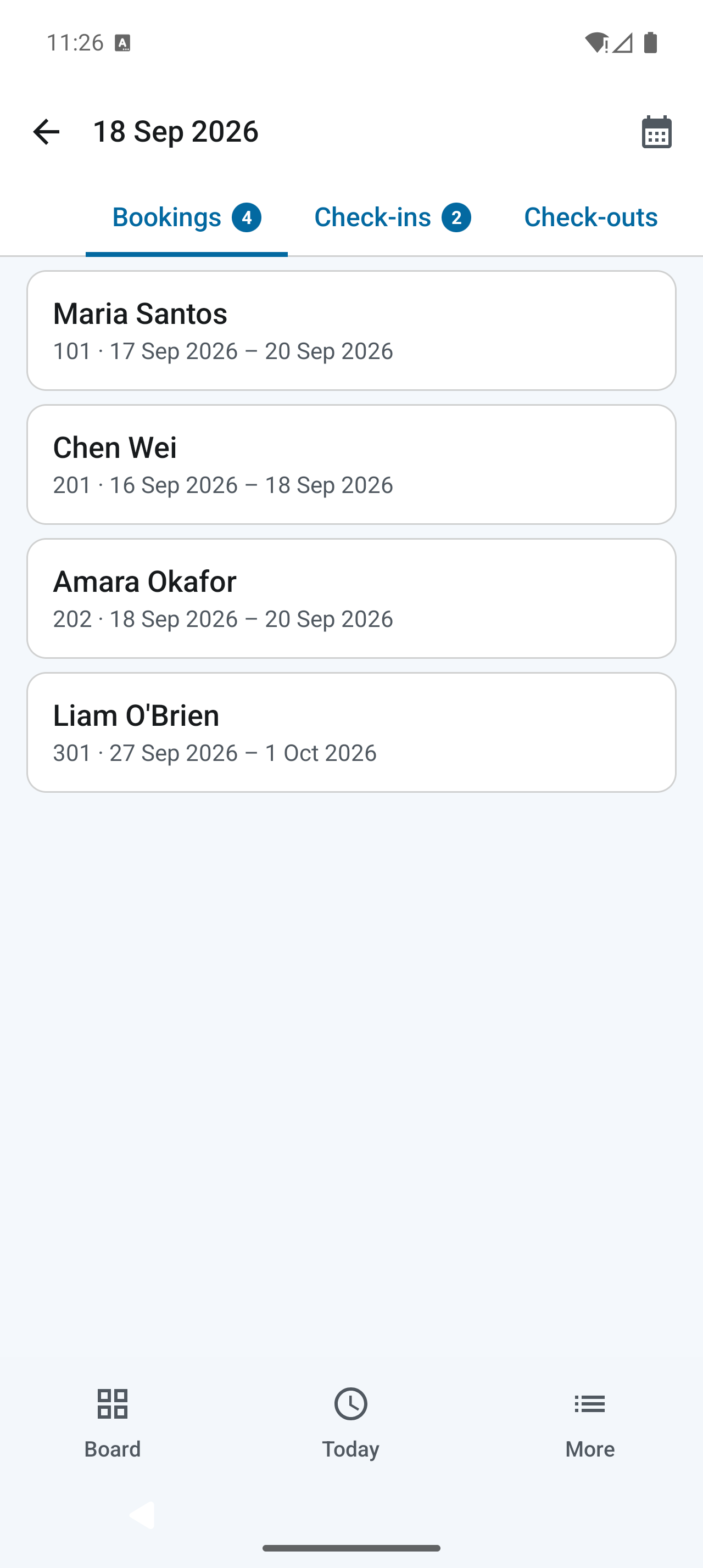
Actual app screenshots · Demo data · Select to enlarge
Choose from 21 interface languages, including English. Every choice is already in the app, ready to use offline.
From বাংলা to العربية, make everyday tasks easier to read in a language that feels familiar. Switch in App settings, with right-to-left layouts for Arabic, Urdu and Dari.
Make Restra yoursLanguage choices apply to the app interface. Your business names, menu items and other text you enter stay as you wrote them.
Useful choices for a busy counter, a quieter evening, and everything between.
Choose light, dark or system appearance, with eight color palettes and five text sizes from 90% to 150%. Find a look and reading size that suit you.
Explore app settingsRecord cash, card, mobile banking or bank transfer. Split a payment across methods, record a partial amount and see what remains due.
See payment workflowsShare PDF bills, receipts and confirmations with your business details. Enable optional thermal printing for supported receipt printers.
Explore documents and printingEnable a config PIN to protect Setup and sensitive corrections. Keep everyday bookings and orders moving, and retain correction reasons in the record.
A practical starting point for a new counter, or a fresh start for an existing one.
Choose your modules. Add your business details, currency, charges and configuration PIN.
Add rooms and rates, tables and dishes, or your service catalogue. Turn on what your business needs.
Take bookings and orders, record payments, review your reports and keep a backup off the device.
Looking for a specific workflow? The English manual takes you through it, one screen at a time.
Open the user manualRestra is an offline-first Android app for hotel, restaurant and service operations. It brings together room bookings, guest folios, table orders, billing, payment records, expenses and reports on one device.
Yes. Everyday bookings, orders, bills, payment records and PDF generation work offline on the device. Optional account, sync and online sharing features need a connection.
Yes. Enable both modules to work with rooms and tables in one app. Eligible restaurant orders can be charged to a checked-in guest’s room folio and settled with the stay.
Yes. Restaurant mode gives you tables, menu items, orders, billing and payment records. Hotel screens are hidden when the hotel module is not enabled.
Yes. Restra generates PDF booking confirmations, guest invoices, restaurant bills, payment receipts and kitchen tickets. Open the relevant booking or order to use its available share actions.
Use Backup and restore in Setup. Restra supports daily local backups and passphrase-protected exports. Keep an exported copy outside the phone and store its passphrase safely. Restoring a backup replaces the current business data.
Yes. Open More → History to browse the monthly activity calendar. Select a day to review recorded bookings, check-ins, check-outs, orders, expenses and payments. Use the date control to review a longer range. Available records depend on the business modules you use.
Restra offers 21 interface languages: English, Bangla, Hindi, Nepali, Vietnamese, Thai, Malay, Indonesian, Sinhala, Dzongkha, Urdu, Dari, Kazakh, Albanian, Uzbek, Russian, Spanish, Portuguese, Bulgarian, Romanian, and Arabic. All language choices are bundled for offline use. Change the interface language in More → App settings → Language. Business names, menu items and other text you enter stay in their original language.
Restra records cash, card, mobile banking and bank transfer payments. Recording a payment does not itself charge a card or transfer money through a payment provider.
Get to know the little app that brings your counter together.
Rooms. Tables. Services. One Restra.